EN − USD
 español
 Français
 Italiano
 Portekizce

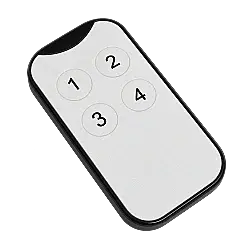
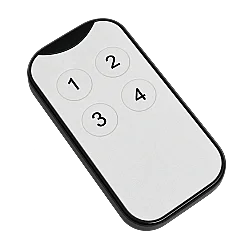
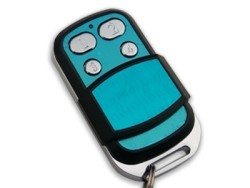
4-Button Remote Duplicator - 433.92 MHz
K.F2F.1035 - 4-Button Remote Duplicator
4-channel remote duplicator operating at 433.92 MHz for compatible fixed-code and rolling-code remote controls.
Product Features
K.F2F.1035 is designed to copy remote control codes and operate compatible automatic gates, garage doors and barriers. Its four buttons can be assigned different commands on compatible systems. The copying and receiver registration procedure depends on the original remote control's brand and model.
| Product code | K.F2F.1035 |
|---|---|
| Buttons / channels | 4 buttons / 4 channels |
| Frequency | 433.92 MHz |
| Code support | Compatible fixed-code and rolling-code systems |
| Applications | Compatible automatic gate, garage door and barrier systems |
Compatibility warning: Not compatible with NICE INTI, NICE ONE, NICE FLOR or BFT MITTO COOL. Matching frequency alone does not guarantee compatibility. Check your existing remote model and receiver system before ordering.
Compatible Brands / Models and Programming Methods
The following information is based on the supplier's compatibility list. Compatibility depends on the listed model and programming method.
| Brand / Model | Copying / Registration Method |
|---|---|
| CUPPON | Clear memory and use standard copying |
| UK-BR (standard fixed code) | Clear memory and use standard copying |
| KONTAL (ROLAN) | ROLAN special copying procedure |
| DASPI | Tarantula special copying procedure |
| BFT MITTO, MITTO 2, MITTO 4 | BFT special copying / conversion, followed by receiver registration as an original remote |
| FAAC XT4 433 RC, XT4 433 SLH | Rolling-code conversion, followed by receiver registration as an original remote |
| NICE FLOR-S, SMILO SM2, SMILO SM4 | Rolling-code conversion, followed by receiver registration as an original remote |
| HILAND (all models according to the supplier's list) | Rolling-code conversion, followed by receiver registration as an original remote |
| BENINCA TO GO-WV, TO GO-VA, IO-WV, IO-VA | Rolling-code conversion, followed by receiver registration as an original remote |
| DEA MIO TR2 | Rolling-code conversion, followed by receiver registration as an original remote |
Operating and Copying Instructions
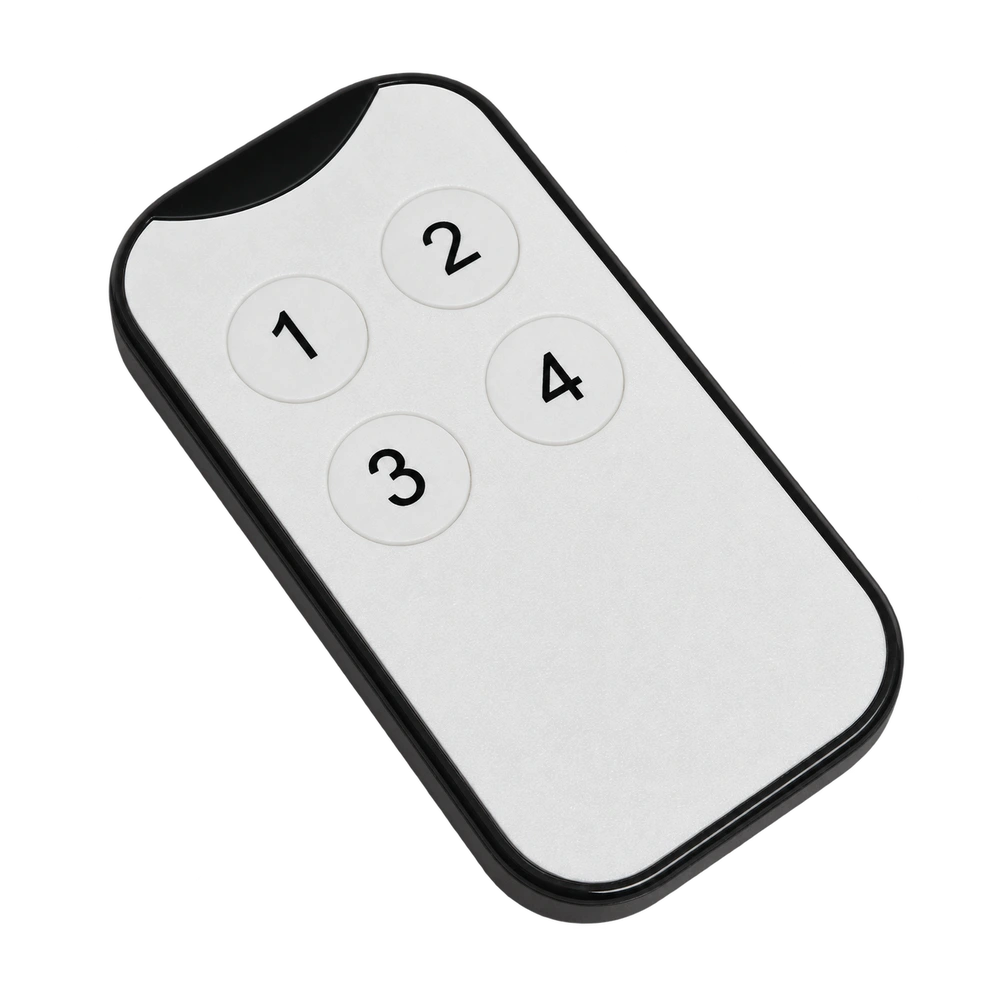
Button numbering: Viewed from the front: top left = 1, top right = 2, bottom left = 3, bottom right = 4.
1. Clear Memory (Reset)
Warning: This procedure deletes all codes stored in the remote.
- Press and hold buttons 1 and 2 together. Wait for the LED to flash.
- Continue holding button 1 and release button 2.
- Press and release button 2 three times.
- Release the buttons when the LED starts flashing rapidly. The memory has been cleared.
2. Standard Copying
- Clear the new remote's memory before copying.
- Place the working original remote and the new remote close together, head-to-head or back-to-back.
- Press and hold the button to be copied on the original remote and the desired destination button on the new remote at the same time.
- A rapidly flashing or continuously lit LED on the new remote indicates that the code has been received.
- Repeat for other buttons. Do not clear the memory again for each button.
3. Use with Compatible Rolling-Code Systems
Follow the standard copying procedure. According to the supplier, after button 1 has been paired, LED illumination when pressing any button indicates that the buttons have been converted to the relevant rolling-code system. Then register the remote with the receiver as an original remote, following the receiver's own registration procedure.
Important: Remote-to-remote copying alone may not be sufficient for rolling-code systems; separate receiver registration is required.
4. BFT MITTO Special Copying
- Clear the new remote's memory.
- Hold button 1 on the new remote and press and release button 2 once. Keep holding button 1.
- Place the original BFT remote head-to-head with the new remote. Press and hold the two BFT buttons together for approximately 4 seconds, then release them.
- Press and hold button 1 on the BFT remote for approximately 3-5 seconds.
- When the new remote's LED stays on continuously, the code has been received. Release button 1 on the new remote.
- Register the remote with the system following the BFT receiver's registration procedure.
BFT registration note: For the two-button code transmission step during receiver registration, press buttons 1 and 4 together on the new remote.
5. DASPI (Tarantula) Special Copying
- Clear the new remote's memory.
- Hold button 1 on the new remote and press and release button 2 twice.
- Place the original remote close to the back of the new remote and press the relevant button on the original remote twice.
- Copying is complete when the new remote's LED stays on continuously.
6. ROLAN (KONTAL) Special Copying
- Clear the new remote's memory.
- Hold button 1 on the new remote and press and release button 2 once.
- Place the original remote close to the back of the new remote and press the relevant button on the original remote twice.
- Copying is complete when the new remote's LED stays on continuously.
Receiver registration: If the system does not operate after copying, follow the add-remote procedure in the receiver's manual. On systems that use a learning button, you may need to briefly press the receiver's add-remote button and then press the relevant button on the new remote. The correct sequence depends on the receiver model.